Exporting results
Purpose
Use exports to move curated data or an analysis result into a spreadsheet, statistics workflow, or figure pipeline. MonStim can produce and review results itself, but it does not require you to complete analysis in the application: exports are also a traceable handoff to your own custom pipeline. Exported values are only interpretable with the selections and analysis choices that produced them.
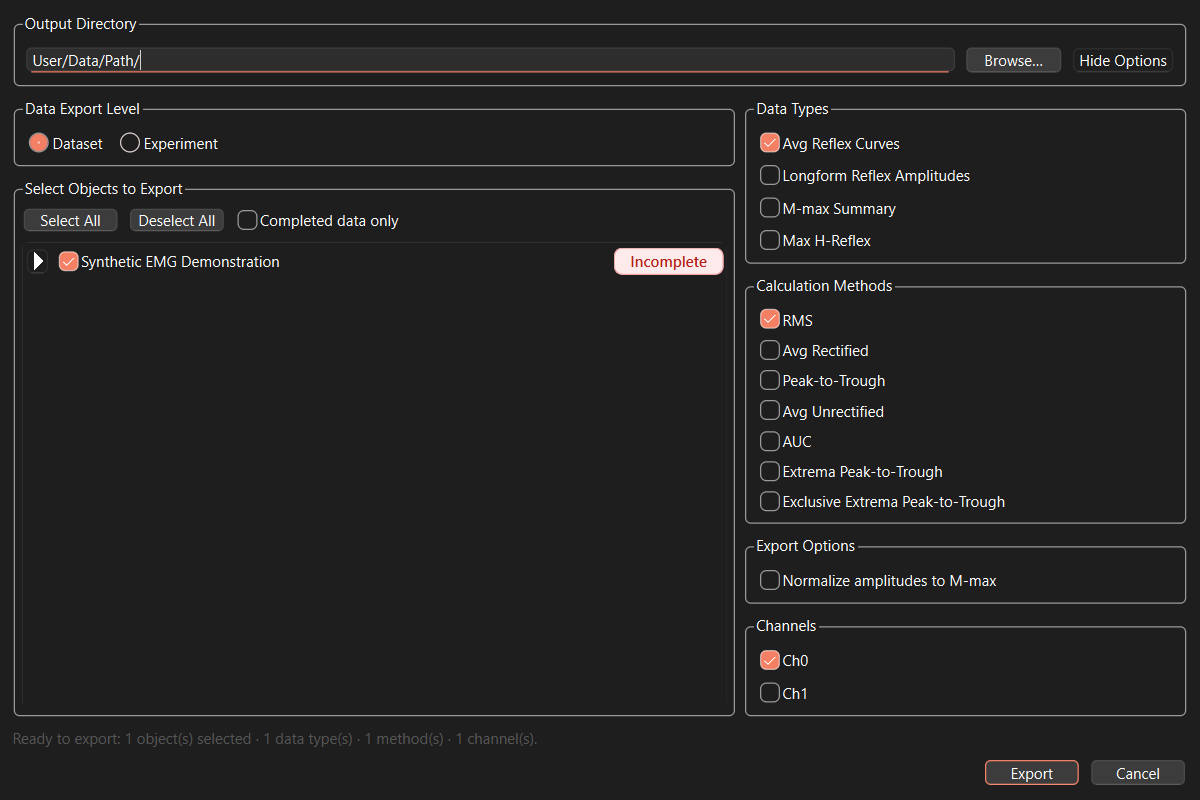
Choose an export path
- Use Plot & Extract Data when you want the data represented by the current plot.
- Use File > Bulk Export Data when you need aggregated output across multiple datasets or experiments.
- Choose a longform reflex-amplitude export when downstream analysis needs one row per active recording, channel, latency window, and method rather than a summarized curve.
Before exporting
- Confirm the selected experiment, dataset, or session.
- Confirm included recordings, sessions, and datasets.
- Record the active profile, amplitude method, bin size, latency windows, and any M-max normalization or manual override.
- Inspect the plot or table for missing values,
NaN, and unexpected contribution counts. - Use a descriptive filename and store the export with its analysis notes.
Data Export Level and completion filtering
Data Export Level controls what one output workbook represents. Dataset writes one workbook for each selected biological unit x condition; its summary values aggregate that dataset's active sessions. Experiment writes one workbook for each selected experiment; its summary values aggregate the active datasets and sessions within it when the selected export uses summaries. An experiment may represent one condition across biological units or simply be an organizational container. Longform output remains one row per recording, channel, latency window, and method at either level. See Understanding the data hierarchy for the intended roles of these levels.
Completed data only is a strict data filter, not just a chooser convenience. When selected, exports include only experiments, datasets, and sessions each marked Complete. Incomplete or unknown experiment cards and dataset rows are hidden, and data at any incomplete level cannot contribute to the export. The selector flags a dataset with active sessions that are still incomplete (excluded sessions do not count), names them in a tooltip, and the export log records the sessions omitted for that reason.
Canceling an export
Cancel stops queued work and asks active work to stop at its next safe calculation boundary. A calculation or spreadsheet-library call already in progress may take a short time to return. Each workbook is first written to a temporary file and is moved into its final name only after it is complete; canceled or failed work never replaces an existing export with a partial workbook. The completion message identifies cancellation and reports how many fully written workbooks were kept.
Review the output
Open the exported file before distributing it. Check units, channel labels, stimulus-voltage grouping, window names, and row granularity. For extrema-based longform output, retain the selected-extrema fields and result reasons when the result will be audited.